

- Price
- Paid (£12.99 in the UK App Store)
- Platforms
- Mac
- Requires
- macOS 10.7+
- Updated
- 14 Jul 2017



Overview
From the developer's App Store description:
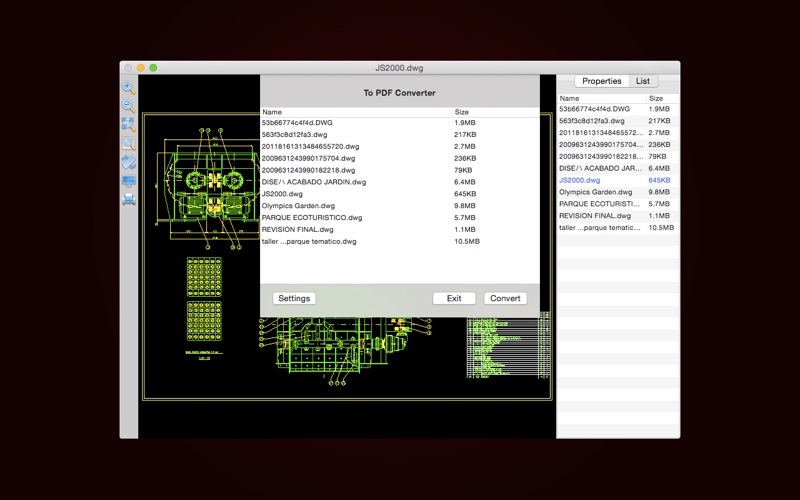
A multifunctional tool for viewing and coverting 2D CAD files in Mac. CAD Lab 2D provides you with a powerful file list, because of it, you can easily manage your CAD files, for example, you can locate your CAD files' storage location, or batch convert CAD files to PDF, or batch convert versions of DXF and DWG files, or batch convert storage format of DXF and DWG files and so on.
CAD Lab is a graphic design app by 晖 向 for Mac. It needs macOS 10.7 or later.
Heads up: CAD Lab has not had an App Store update since 14 Jul 2017. Apps that go this long without updates may not work well on the latest macOS or iOS.
Price and purchases
CAD Lab is a paid app: £12.99 in the UK App Store. US pricing may differ.
Price from the App Store, checked 12 Nov 2026. Prices and purchases change; check the App Store before you buy.
Facts
- Price
- Paid (£12.99 in the UK App Store)
- Requires
- MacOS 10.7 or later
- Version
- 3.3
- Last updated
- 14 Jul 2017
- Size
- 30 MB
- Age rating
- 4+
- First released
- 29 Dec 2016
- App Store category
- Graphics & Design
- Also listed in
- Utilities
From the App Store listing, checked .
What's new in version 3.3
Add features: Export to Images, including JPEG, BMP and PNG. Add features: Double-click on local CAD files to open CAD Lab 2D, including DWG, DXF, DWF, DAE and DGN files. Add features: Print CAD files, set print parameters according to the need. Support mode: Display, Extents and Window.
From the developer's App Store release notes.
Alternatives to CAD Lab
Other graphic design apps for Mac, by App Store chart ranking.


Details
- Developer
- 晖 向 ↗
- Category
- Graphic design
- Website
- cadlab.strikingly.com


