

Productivity and work Productivity app for Mac
ClickPaw
by Thongchai Kolyutsakul
- Price
- Free
- Platforms
- Mac
- Requires
- macOS 15.0+
- Updated
- 1 Feb 2026
Overview
From the developer's App Store description:
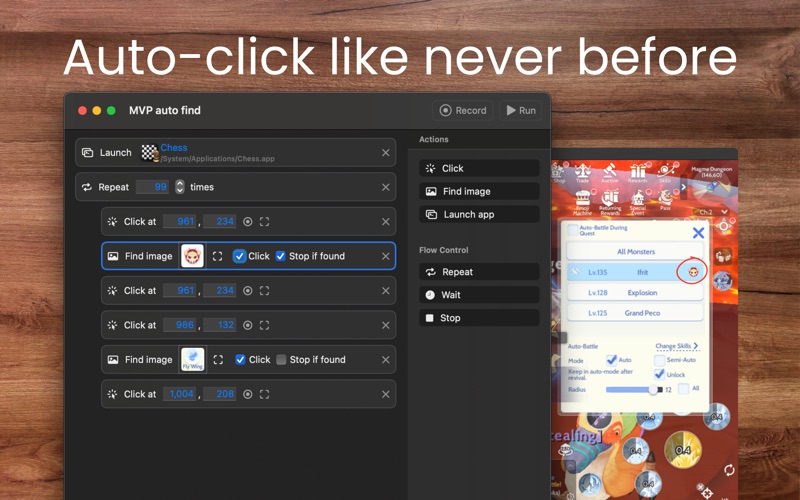
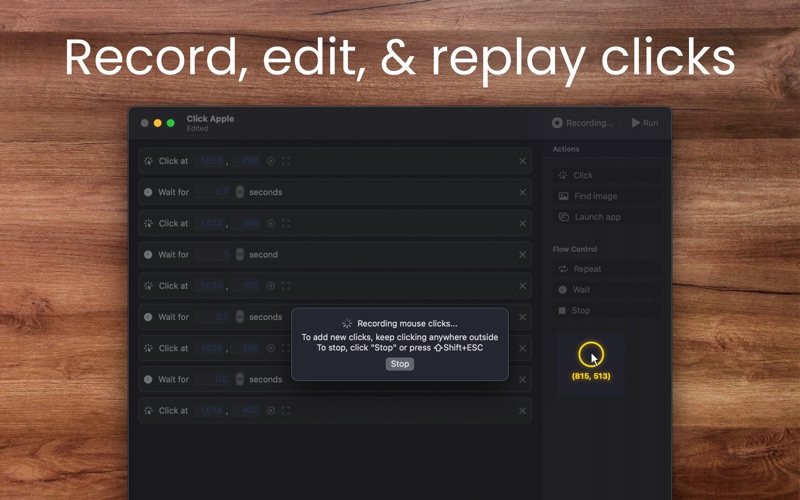
An auto-clicker app that allows you to define click target with either a coordinate or "an image"!
ClickPaw is a productivity app by Thongchai Kolyutsakul for Mac. It needs macOS 15.0 or later.
Price and purchases
ClickPaw is free to download from the App Store.
Price from the App Store, checked 12 Nov 2026. Prices and purchases change; check the App Store before you buy.
Facts
- Price
- Free
- Requires
- MacOS 15.0 or later
- Version
- 2.2.0
- Last updated
- 1 Feb 2026
- Size
- 27 MB
- Age rating
- 4+
- First released
- 27 Oct 2023
- App Store category
- Productivity
- Also listed in
- Utilities
From the App Store listing, checked .
What's new in version 2.2.0
- Find Image Action: New options - "Click until not found" (with configurable delay), "Click once" or "Click and stop" - Find Image Action: Removed the old Click toggle in Find Image to simplify setup and reduce confusion - Improved workflow editing: better insert/delete focus handling and automatic scrolling to newly inserted/recorded actions - Keyboard and UI tweaks: updated Stop shortcut to CMD + ESC, improved toolbar spacing, updated icons/colors, and refined setup title - Fixed a bug where inserting or deleting some action may not update focus and selected rows properly
From the developer's App Store release notes.
Alternatives to ClickPaw
Other productivity apps for Mac, by App Store chart ranking.




Details
- Developer
- Thongchai Kolyutsakul ↗
- Category
- Productivity