

Mac utilities and customization Clipboard and automation app for Mac
Copy Board
by Muhammed shafeeq ap
- Price
- Free
- Platforms
- Mac
- Requires
- macOS 12.0+
- Updated
- 21 Oct 2026



Overview
From the developer's App Store description:
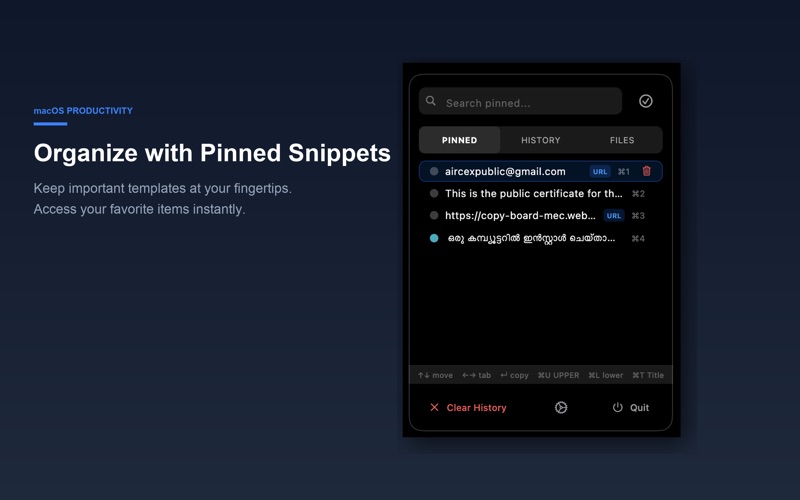
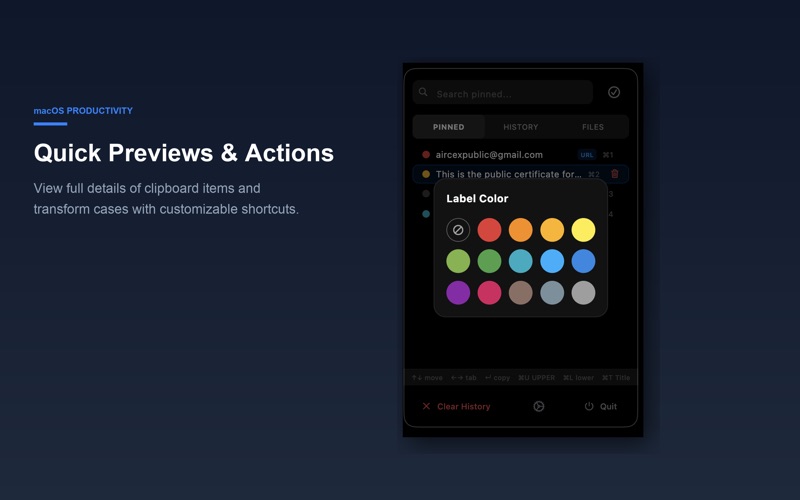
Copy Board is a modern, premium clipboard manager for macOS designed to streamline your daily workflow. It runs quietly in the menu bar and keeps a visual history of everything you copy—text, links, and code snippets.
Copy Board is a clipboard and automation app by Muhammed shafeeq ap for Mac. It needs macOS 12.0 or later.
Price and purchases
Copy Board is free to download from the App Store.
Price from the App Store, checked 12 Nov 2026. Prices and purchases change; check the App Store before you buy.
Facts
- Price
- Free
- Requires
- MacOS 12.0 or later
- Version
- 1.5.0
- Last updated
- 21 Oct 2026
- Size
- 15 MB
- Age rating
- 4+
- First released
- 8 Oct 2026
- App Store category
- Utilities
From the App Store listing, checked .
What's new in version 1.5.0
Version 1.5.0 Updates & Quick Shortcuts Reference: WHAT'S NEW: • Enhanced responsive toolbar with compact icons for a clean macOS layout. • Added dedicated step-by-step macOS Accessibility Setup Guide & settings shortcut. • Performance optimizations and smooth experience for macOS Sequoia and Sonoma. QUICK KEYBOARD SHORTCUTS: • ⌃⌥Space (Control + Option + Space): Open / close clipboard picker anywhere • ⌃⌥V (Control + Option + V): Quick clipboard popup • ⌘1 – ⌘9 (Command + 1 to 9): Instantly paste pinned items (1 to 9) • ⌥1 – ⌥9 (Option + 1 to 9): Instantly paste recent history items (1 to 9) • ⌘⌥C (Command + Option + C): Copy to Later (saves directly to Pinned) • ⌘U / ⌘L / ⌘T: Transform selected text to UPPERCASE, lowercase, or Title Case • ↑ / ↓ Arrows & Enter: Navigate clips and paste immediately • ← / → Arrows: Switch between History and Pinned tabs
From the developer's App Store release notes.
Alternatives to Copy Board
Other clipboard and automation apps for Mac, by App Store chart ranking.




Details
- Developer
- Muhammed shafeeq ap ↗
- Category
- Clipboard and automation
- Website
- copy-board-mec.web.app