

Developer Coding and developer app for Mac
CosmoKit Tools
by Matheus Weber
- Price
- Free
- Platforms
- Mac
- Requires
- macOS 14.7+
- Updated
- 17 Sept 2026


Overview
From the developer's App Store description:
Reinstalling builds, resetting permissions and repeating simulator setup by hand gets old. CosmoKit puts those jobs in one Mac app, so you can prepare, exercise and verify iOS apps without leaving your desk. Free plan: 1 simulator, 1 app profile, 5 saved items per tool, and watermarked captures. No account needed.
CosmoKit Tools is a coding and developer app by Matheus Weber for Mac. It needs macOS 14.7 or later.
Price and purchases
CosmoKit Tools is free to download from the App Store.
Price from the App Store, checked 12 Nov 2026. Prices and purchases change; check the App Store before you buy.
Facts
- Price
- Free
- Requires
- MacOS 14.7 or later
- Version
- 4.8.0
- Last updated
- 17 Sept 2026
- Size
- 38 MB
- Age rating
- 4+
- First released
- 23 Dec 2025
- App Store category
- Developer Tools
- Also listed in
- Utilities
From the App Store listing, checked .
What's new in version 4.8.0
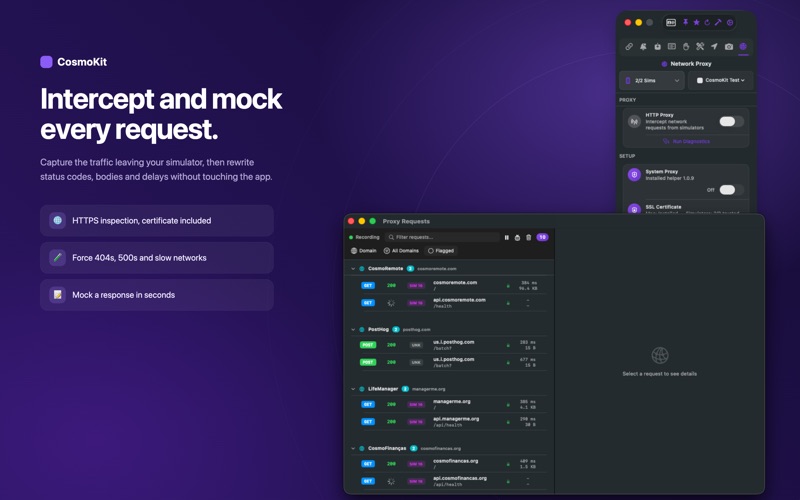
• Network Proxy & Conditioning: Simulate Edge, 3G, and LTE network conditions with custom latency, bandwidth, and packet loss without an SDK. Set per-host rules to throttle or mock individual endpoints. • App Profiles & Diagnostics: Launch app profiles with custom arguments, environment variables, and locale overrides. • Instant Scheme Diagnostics: Toggle Xcode scheme diagnostics without touching your project scheme: Zombies, Main Thread Checker, Malloc scribble, and Core Data SQL logging. • Save & Relaunch: Update launch arguments or diagnostics and immediately restart the simulator process. • Live Log Streaming: Monitor unified console output in real time with color-coded diagnostic chips and match counters. • Simulator Disk Doctor: Accurately measure and inspect CoreSimulator disk consumption per device. • Reproduction Bundles: Export and import .cosmokit-repro packages to share reproducible bugs with your team. • Bug fixes and performance improvements.
From the developer's App Store release notes.
Alternatives to CosmoKit Tools
Other coding and developer apps for Mac, by App Store chart ranking.


Details
- Developer
- Matheus Weber ↗
- Category
- Coding and developer
- Website
- usecosmoskittool.com