

- Price
- Free
- Platforms
- Mac
- Requires
- macOS 26.0+
- Updated
- 22 Oct 2026



Overview
From the developer's App Store description:
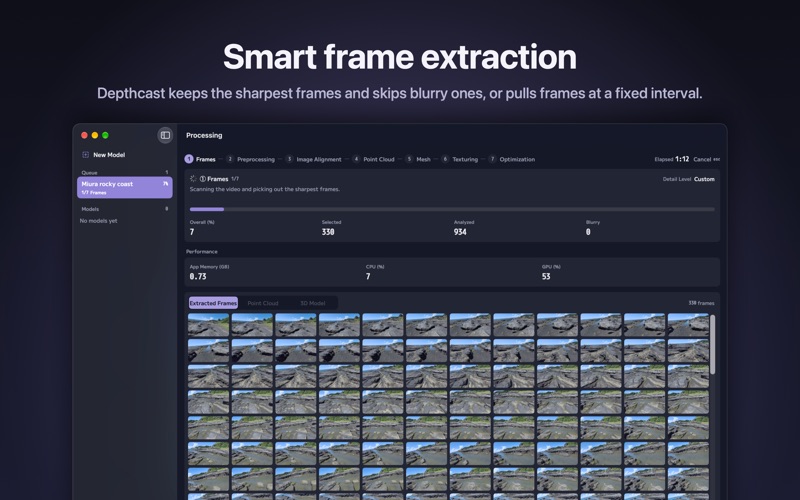
Depthcast turns a video you shot walking around something — a bowl on the table, a statue, a stretch of rocky shore — into a textured 3D model. Everything runs on your Mac: nothing is uploaded, and you never wait on a server.
Depthcast is a video editing app by Kentaro Saito for Mac. It needs macOS 26.0 or later.
Price and purchases
Depthcast is free to download from the App Store.
Price from the App Store, checked 12 Nov 2026. Prices and purchases change; check the App Store before you buy.
Facts
- Price
- Free
- Requires
- MacOS 26.0 or later
- Version
- 1.1
- Last updated
- 22 Oct 2026
- Size
- 7 MB
- Age rating
- 4+
- First released
- 5 Oct 2026
- App Store category
- Photo & Video
- Also listed in
- Graphics & Design
From the App Store listing, checked .
What's new in version 1.1
New for everyone • Save Leveled Copy: straighten a tilted scan, set it on the floor and save it as a new model. • Turntable Video: export a looping spin of your model as an MP4 in 16:9, 1:1 or 9:16. • Share USDZ: AirDrop a model straight to your iPhone for AR Quick Look. • Notifications: get notified when a model finishes or fails, and see progress in the Dock. • The progress bar now covers the whole job, from frame extraction to the finished model. New in Pro • Queue: drop several videos to make one model each, or add more while one is processing. • Combine Videos: merge several passes of the same subject into one model. • Additional LODs: create lighter versions for AR and the web in the same run. • Set Scale: click two points a known distance apart to size your model to the real world. Fixes • In Overlay view, the wireframe now lines up with the textured surface. • Improved contrast for text on buttons and selected items. • Cancel now stops processing right away instead of ending with an error. • Reconstruct Within Bounds now keeps exactly the area you set, including on rotated or rescaled models.
From the developer's App Store release notes.
Alternatives to Depthcast
Other video editing apps for Mac, by App Store chart ranking.


Details
- Developer
- Kentaro Saito ↗
- Category
- Video editing