

Creative Screen recording and screenshot app for Mac
Framous
by Dark Noise LLC
- Price
- Free
- Platforms
- Mac
- Requires
- macOS 14.1+
- Updated
- 15 Sept 2026


Overview
From the developer's App Store description:
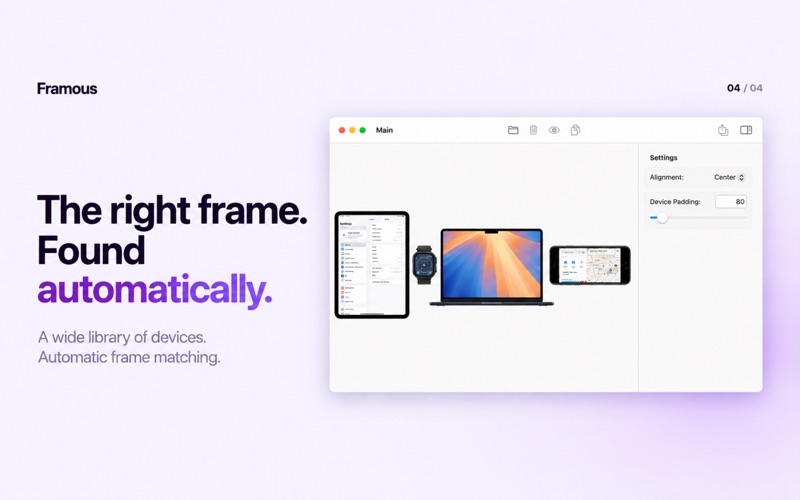
Framous is the easiest way to quickly add device frames around your screenshots and screen recordings! Drag and drop or copy and paste to throw your screenshots in and yank them back out perfectly set into device frames to make them look great. And with Shortcuts support you can even automate the process to make framing your screenshots even easier! With the video editor, you can add tap and swipe indicators to help make clear how the user is interacting with the device.
Framous is a screen recording and screenshot app by Dark Noise LLC for Mac. It needs macOS 14.1 or later.
Price and purchases
Framous is free to download from the App Store.
Price from the App Store, checked 12 Nov 2026. Prices and purchases change; check the App Store before you buy.
Facts
- Price
- Free
- Requires
- MacOS 14.1 or later
- Version
- 2.0.1
- Last updated
- 15 Sept 2026
- Size
- 99 MB
- Age rating
- 4+
- First released
- 25 Feb 2025
- App Store category
- Developer Tools
- Also listed in
- 開発ツール, グラフィック/デザイン
From the App Store listing, checked .
What's new in version 2.0.1
Framous 2.0.1 is a minor release with a few new additions: * New "iPhone Duo — Book" frame that allows you to fold the device and your screenshots at various angles * Duplicate tap and swipe indicators from the right click menu * Fixed bug preventing setting values higher than the slider maximum Framous 2.0 is our biggest update to date with support for video, a new CLI, new iPhone 18 & iPhone Duo frames, and macOS 27 support. - You can now add frames around your screen recordings. - This includes support for shadows, backgrounds, and a customizable mask for the red dot. - You can also add tap and swipe indicators with the video editor. - Give framing powers to your AI agents with the new Framous CLI! - Just copy and paste the prompt from the new CLI guide in settings and set your agent to work - Wrap your screenshots in the most up to date frames from Apple including - iPhone Duo (in opened and closed form) - iPhone 18 Pro & Pro Max
From the developer's App Store release notes.
Alternatives to Framous
Other screen recording and screenshot apps for Mac, by App Store chart ranking.


Details
- Developer
- Dark Noise LLC ↗
- Category
- Screen recording and screenshot, Clipboard and automation
- Website
- framous.app