

Creative Graphic design app for Mac
Image Slice
by 晖 姚
- Price
- Free
- Platforms
- Mac
- Requires
- macOS 10.11+
- Updated
- 16 Mar 2017



Overview
From the developer's App Store description:
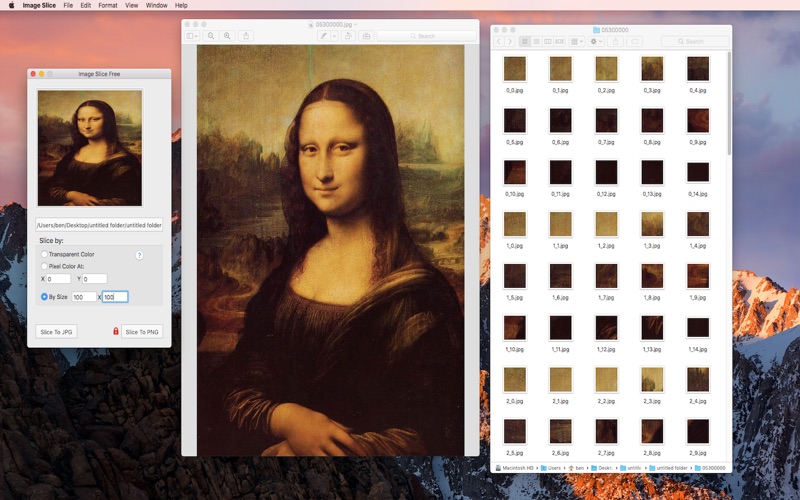
Image Slice is able to split a textures image file into image files automation. Image Slice need to import an image file only without any plist files. Image Slice needn’t set any output width and height. Image Slice will analyse original image and export sliced images automation.
Image Slice is a graphic design app by 晖 姚 for Mac. It needs macOS 10.11 or later.
Heads up: Image Slice has not had an App Store update since 16 Mar 2017. Apps that go this long without updates may not work well on the latest macOS or iOS.
Price and purchases
Image Slice is free to download from the App Store.
Price from the App Store, checked 12 Nov 2026. Prices and purchases change; check the App Store before you buy.
Facts
- Price
- Free
- Requires
- MacOS 10.11 or later
- Version
- 1.1
- Last updated
- 16 Mar 2017
- Size
- 1 MB
- Age rating
- 4+
- First released
- 19 Apr 2016
- App Store category
- Graphics & Design
- Also listed in
- グラフィック/デザイン, 開発ツール
From the App Store listing, checked .
What's new in version 1.1
New feature: - Split by size.
From the developer's App Store release notes.
Alternatives to Image Slice
Other graphic design apps for Mac, by App Store chart ranking.


Details
- Developer
- 晖 姚 ↗
- Category
- Graphic design
- Website
- mxcode.com