

Mac utilities and customization Utility app for Mac
Manico
by Hangzhou Tulading Technology Co., Ltd.
- Price
- Free
- Platforms
- Mac
- Requires
- macOS 14.0+
- Updated
- 9 Nov 2026


Overview
From the developer's App Store description:
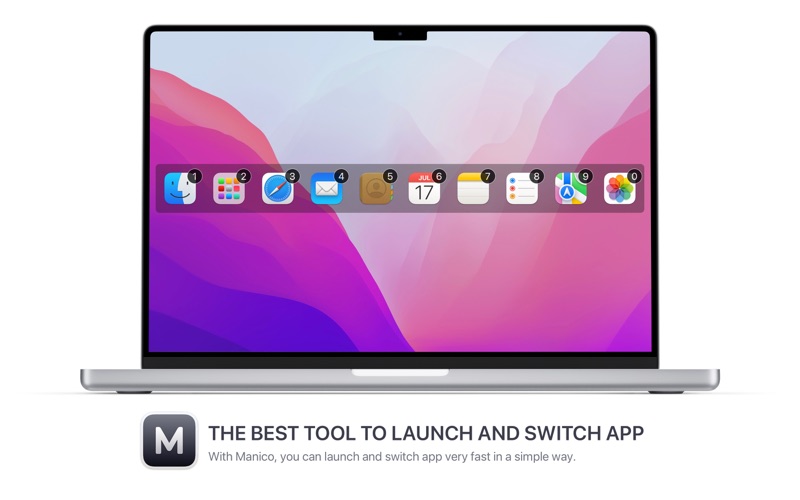
Manico is a tool designed to launch and switch apps quickly. By using it, launching and switching apps on macOS will be incredibly smooth. By default, Manico supports Option + number keys to launch or switch to the corresponding app, so users no longer need to use Command+Tab to traverse to the desired app one by one or find on the Dock, which brings efficiency and experience improvement.
Manico is a utility app by Hangzhou Tulading Technology Co., Ltd. for Mac. It needs macOS 14.0 or later.
Price and purchases
Manico is free to download from the App Store.
Price from the App Store, checked 12 Nov 2026. Prices and purchases change; check the App Store before you buy.
Facts
- Price
- Free
- Requires
- MacOS 14.0 or later
- Version
- 3.15
- Last updated
- 9 Nov 2026
- Size
- 2 MB
- Age rating
- 4+
- First released
- 17 Oct 2013
- App Store category
- Utilities
From the App Store listing, checked .
What's new in version 3.15
Manico 3.15 is here, with improved shortcut setup and several fixes. - You can now assign ⌘⎋ (Command-Escape) as an app’s shortcut. - Improved the shortcut recorder’s appearance in Dark Mode and fixed duplicate shortcut detection, including matching numeric keypad keys. - Fixed inconsistent key labels in the switcher when using non-US keyboard layouts. - Fixed installed apps appearing as “App not installed” with non-working shortcuts after syncing profiles between Macs. - Fixed inconsistent app icon sizes.
From the developer's App Store release notes.
Alternatives to Manico
Other utility apps for Mac, by App Store chart ranking.




Details
- Developer
- Hangzhou Tulading Technology Co., Ltd. ↗
- Category
- Utility
- Website
- manico.im
