

Mac utilities and customization Keyboard and mouse app for Mac
Mouse Maestro
by Essam Abdelhady
- Price
- $0.99
- Platforms
- Mac
- Requires
- macOS 26.0+
- Updated
- 18 Aug 2026
Overview
From the developer's App Store description:
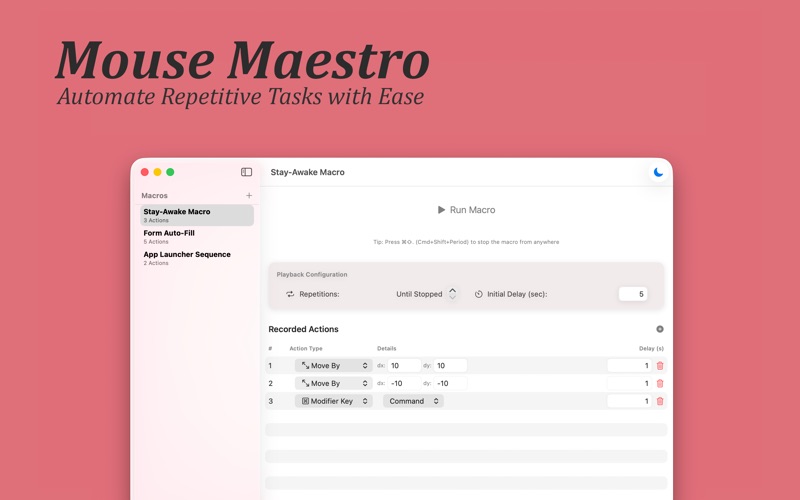
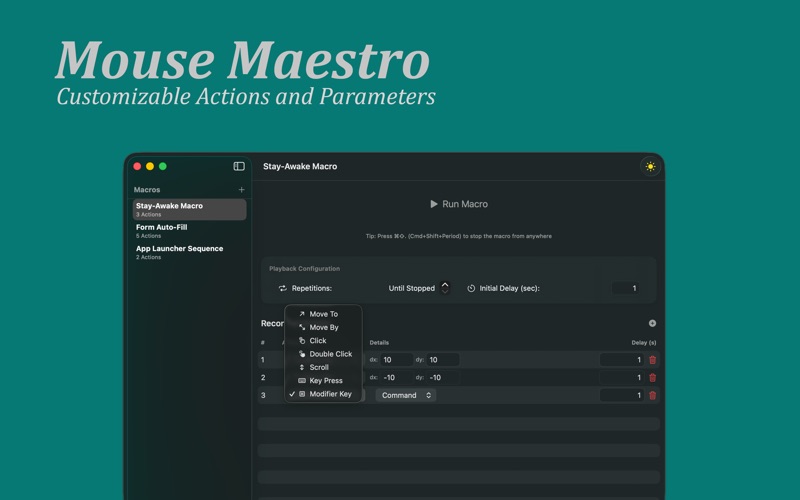
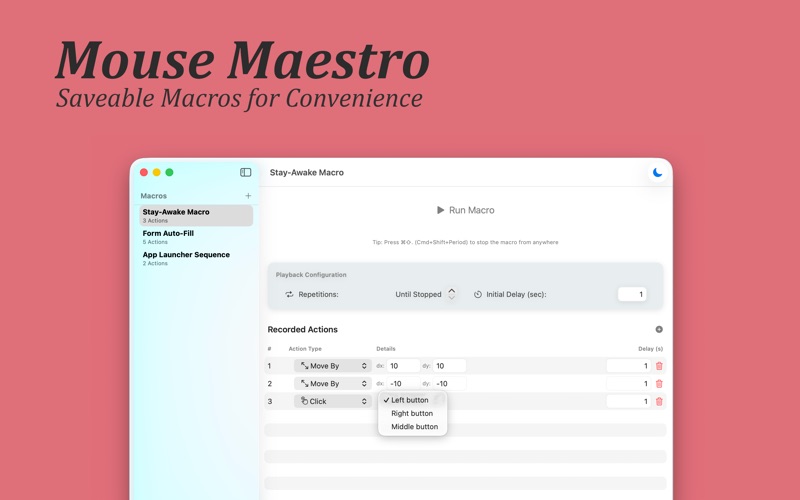
Mouse Maestro - Automate Your Mac with Ease. Streamline your workflow and reclaim your time with Mouse Maestro, the elegant automation tool for macOS. Transform repetitive tasks into powerful macros with just a few clicks. Whether you're automating data entry, gaming actions, or complex workflows, Mouse Maestro puts you in complete control.
Mouse Maestro is a keyboard and mouse app by Essam Abdelhady for Mac. It needs macOS 26.0 or later.
Price and purchases
Mouse Maestro costs $0.99 on the App Store.
Price from the App Store, checked 12 Nov 2026. Prices and purchases change; check the App Store before you buy.
Facts
- Price
- $0.99
- Requires
- MacOS 26.0 or later
- Version
- 1.3
- Last updated
- 18 Aug 2026
- Size
- 2 MB
- Age rating
- 4+
- First released
- 13 Dec 2025
- App Store category
- Utilities
From the App Store listing, checked .
What's new in version 1.3
Drag support is here! Maestro can now press and hold a mouse button, move, and release, so your macros can do what a real hand does: reorder a list, drag a file into a folder, pull a slider, or move an item along a timeline. Two new actions: • Drag To: hold a button and drag to an exact position on screen • Drag By: hold a button and drag a set distance from wherever the cursor happens to be Also in this update: • Drags glide rather than jump, so apps that ignore instant cursor movement now register them properly • Stopping a macro mid-drag always releases the button, no more stuck mouse • The in-app shortcut guide now lists every available action type
From the developer's App Store release notes.
Alternatives to Mouse Maestro
Other keyboard and mouse apps for Mac, by App Store chart ranking.


Details
- Developer
- Essam Abdelhady ↗
- Category
- Keyboard and mouse, Clipboard and automation