

- Price
- Paid (CA$12.99 in the Canadian App Store)
- Platforms
- Mac
- Requires
- macOS 12.0+
- Updated
- 17 Oct 2026



Overview
From the developer's App Store description:
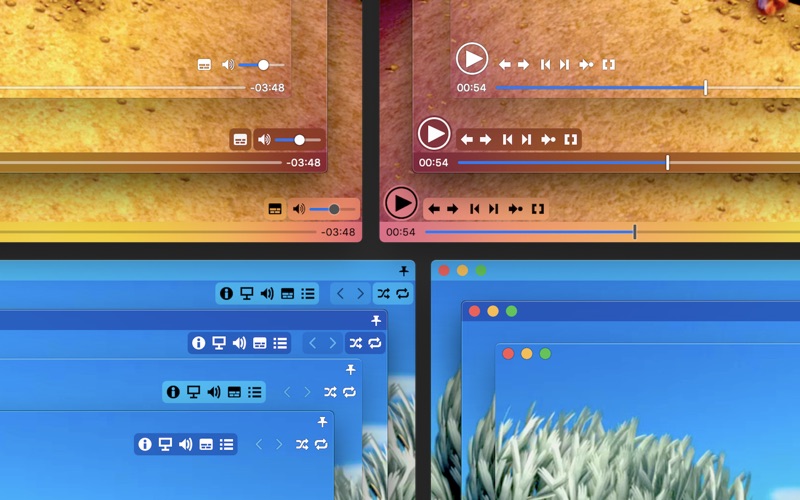
Movist is an easy-to-use and powerful movie player. You can choose either the QuickTime or FFmpeg decoder for each video codec and reopen with other decoders instantly. Movist supports many useful features to enjoy movies including H.264, H.265/HEVC hardware video decoder acceleration, digital audio out (S/PDIF), high-quality subtitles, a convenient & beautiful user interface and more. Just Enjoy Movies with Movist.
Movist is a video editing app by Chul Joo for Mac. It needs macOS 12.0 or later.
Price and purchases
Movist is a paid app: CA$12.99 in the Canadian App Store. US pricing may differ.
Price from the App Store, checked 12 Nov 2026. Prices and purchases change; check the App Store before you buy.
Facts
- Price
- Paid (CA$12.99 in the Canadian App Store)
- Requires
- MacOS 12.0 or later
- Version
- 2.20.0
- Last updated
- 17 Oct 2026
- Size
- 33 MB
- Age rating
- 4+
- First released
- 23 Sept 2011
- App Store category
- Photo & Video
- Also listed in
- Entertainment
From the App Store listing, checked .
What's new in version 2.20.0
• Added an option to use media keys and Now Playing [Preferences > Playback > Use media keys and Now Playing] • Added an option to close media with the Esc key [Preferences > Keyboard > Use Esc key to close media] • Added an option to hide subtitle lines enclosed in parentheses or brackets [Preferences > Subtitle > Hide subtitle lines enclosed in parentheses or brackets] • Added separate keyboard shortcut settings for Show Subtitles and Hide Subtitles • Improved the appearance and layout of the centered play button • Fixed an issue where the multichannel speaker order configured in Audio MIDI Setup was not applied to playback • Fixed an issue where audio was missing for approximately the final second of some videos • Fixed an issue where some subtitle lines beginning with certain Latin letters followed by a space were not displayed • Fixed white lines appearing along the edges of some Dolby Vision videos • Fixed window corners not rendering correctly during full-screen transitions on macOS 27 • Fixed the display of the Hide menu bar setting in Full Screen preferences • Fixed an issue where keyboard shortcuts assigned to Edit Playlists… were not saved
From the developer's App Store release notes.
Alternatives to Movist
Other video editing apps for Mac, by App Store chart ranking.


Details
- Developer
- Chul Joo ↗
- Category
- Video editing