

Productivity and work Productivity app for Mac
New File Menu Lite
by 兰桂 吴
- Price
- Free
- Platforms
- Mac
- Requires
- macOS 10.10+
- Updated
- 3 Nov 2026

Overview
From the developer's App Store description:
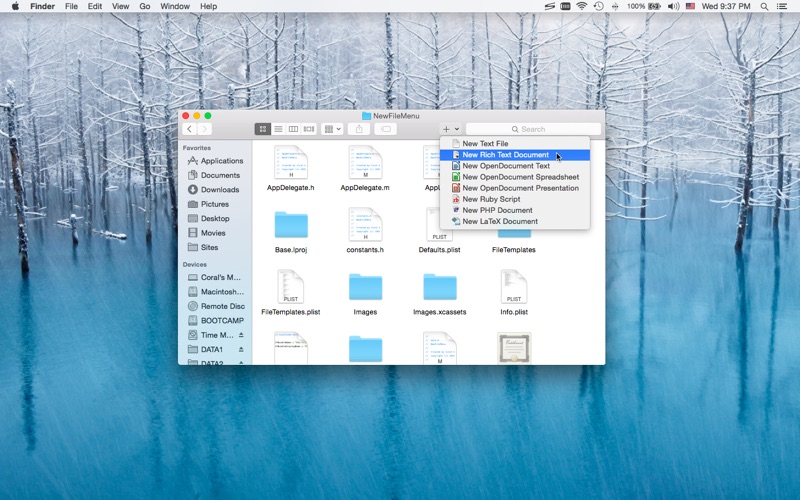
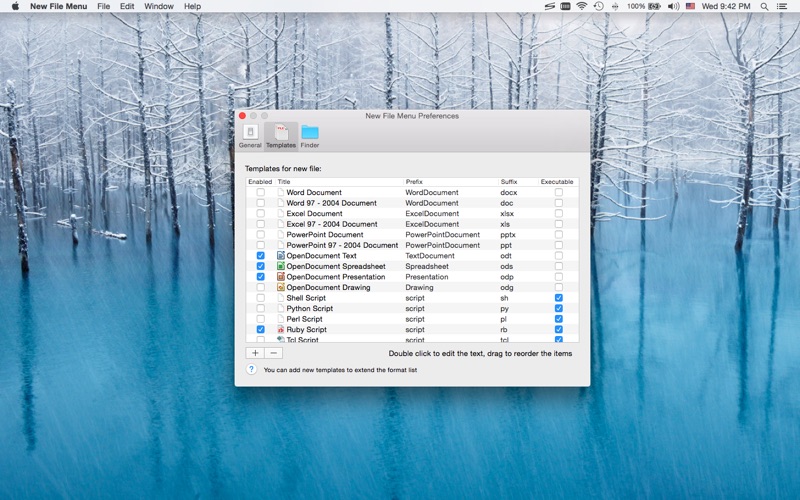
New File Menu lets you create new files quickly via the Finder context menu. New File Menu is simply the coolest way to create a new file on the macOS platform, you can right click in any Finder window to create a new file! You can even right click on the desktop to create your files! Important: New File Menu Lite is implemented as a Finder extension, you need to enable "New File Menu Lite Extension" in "System Preferences » Extensions" to make the context menu appear.
New File Menu Lite is a productivity app by 兰桂 吴 for Mac. It needs macOS 10.10 or later.
Price and purchases
New File Menu Lite is free to download from the App Store.
Price from the App Store, checked 12 Nov 2026. Prices and purchases change; check the App Store before you buy.
Facts
- Price
- Free
- Requires
- MacOS 10.10 or later
- Version
- 1.8.8
- Last updated
- 3 Nov 2026
- Size
- 9 MB
- Age rating
- 4+
- First released
- 15 Dec 2015
- App Store category
- Productivity
- Also listed in
- Business
From the App Store listing, checked .
What's new in version 1.8.8
• Updates the app icon for macOS 27 Golden Gate
From the developer's App Store release notes.
Alternatives to New File Menu Lite
Other productivity apps for Mac, by App Store chart ranking.




Details
- Developer
- 兰桂 吴 ↗
- Category
- Productivity


