

Mac utilities and customization Menu bar and notch app for Mac
NotchVault
by Akaki Khotcholava
- Price
- $1.99
- Platforms
- Mac
- Requires
- macOS 14.0+
- Updated
- 1 Sept 2026


Overview
From the developer's App Store description:
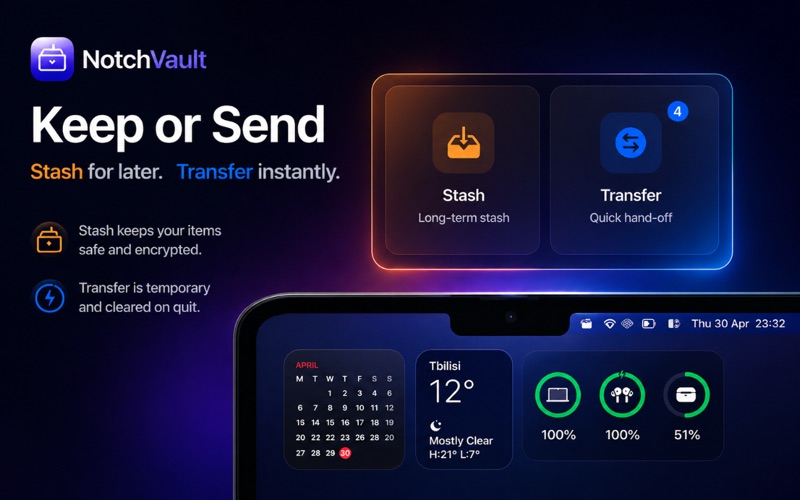
NotchVault is a lightweight menu bar app for macOS that turns the area around the display notch into a quick-access drop zone. Drag files, links, or selected text toward the notch and NotchVault opens a compact overlay with three simple lanes: Stash, Transfer, and AirDrop. Use Stash to keep useful items nearby, Transfer for temporary session-only handoffs, or AirDrop to quickly send a dragged item through the system share sheet.
NotchVault is a menu bar and notch app by Akaki Khotcholava for Mac. It needs macOS 14.0 or later.
Price and purchases
NotchVault costs $1.99 on the App Store.
Price from the App Store, checked 12 Nov 2026. Prices and purchases change; check the App Store before you buy.
Facts
- Price
- $1.99
- Requires
- MacOS 14.0 or later
- Version
- 1.0.2
- Last updated
- 1 Sept 2026
- Size
- 1 MB
- Age rating
- 4+
- First released
- 7 May 2026
- App Store category
- Productivity
- Also listed in
- Utilities
From the App Store listing, checked .
What's new in version 1.0.2
A rebuilt notch experience The vault now opens straight out of the notch — hover, click, or drag a file onto it and it grows into a sleek black tray that merges with your MacBook's bezel. Redesigned drop zones: clear, colorful wells for Vault, Transfer, and AirDrop that light up as you aim. Your files, safer Dropping a file now keeps your original in place — NotchVault stores a copy. Hold ⌥ while dropping to move it instead (the original goes to the Trash, always recoverable). Stronger vault encryption: file names, text snippets, and links are now encrypted at rest too — not just file contents. The vault auto-locks after inactivity and whenever your Mac sleeps or the screen locks. Turning encryption off now properly decrypts your items. ShakeBox improvements Much faster shake detection, with a new sensitivity setting (Fast / Balanced / Relaxed). Choose how long the box waits before dismissing. The box now sizes itself to its contents and sits closer to your cursor. Plus Drop images straight from your browser. Haptic feedback when the notch notices your cursor — and the haptics setting is now respected everywhere. …
From the developer's App Store release notes.
Alternatives to NotchVault
Other menu bar and notch apps for Mac, by App Store chart ranking.




Details
- Developer
- Akaki Khotcholava ↗
- Category
- Menu bar and notch
- Website
- khotcholava.dev