

Mac utilities and customization Browser and extension app for Mac
OctoShell
by Addison Software, Inc.
- Price
- Free
- Platforms
- Mac
- Requires
- macOS 10.13+
- Updated
- 5 Mar 2020


Overview
From the developer's App Store description:
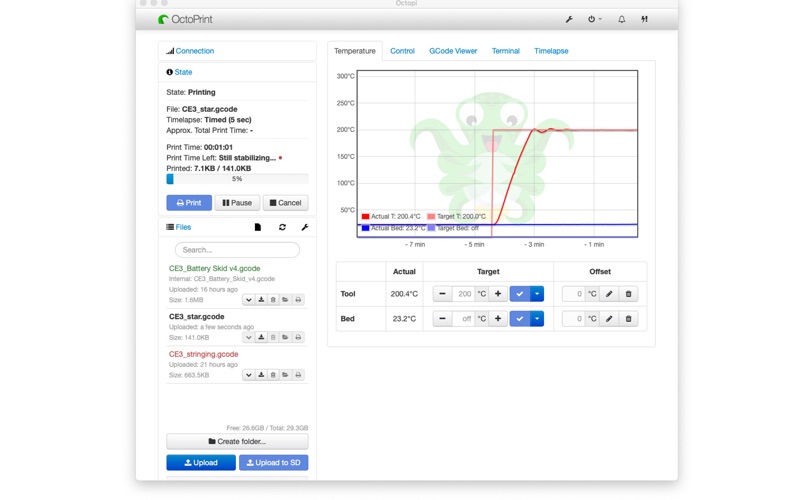
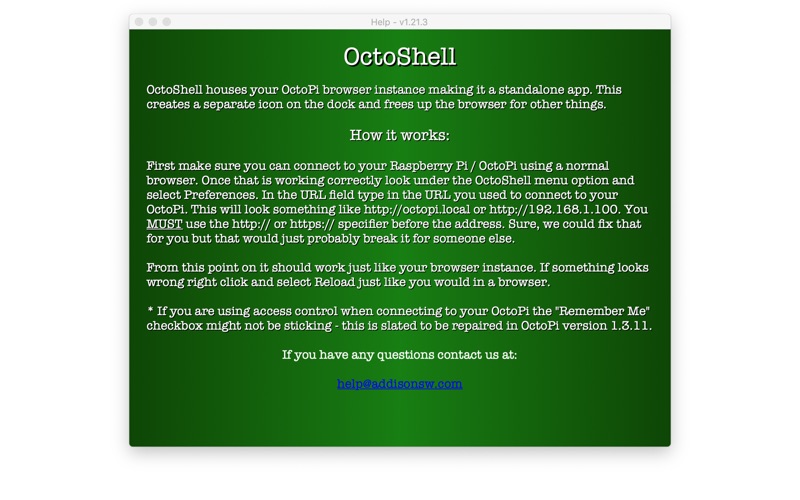
OctoShell efficiently houses your OctoPi / OctoPrint printer session making it a standalone app. This creates a separate icon on the dock and frees up your browser for other things. OctoShell works just like running the OctoPi session from a browser but without all the inconvenience. A 3D print can take anywhere from a couple of hours to a couple of days to finish.
OctoShell is a browser and extension app by Addison Software, Inc. for Mac. It needs macOS 10.13 or later.
Heads up: OctoShell has not had an App Store update since 5 Mar 2020. Apps that go this long without updates may not work well on the latest macOS or iOS.
Price and purchases
OctoShell is free to download from the App Store.
Price from the App Store, checked 12 Nov 2026. Prices and purchases change; check the App Store before you buy.
Facts
- Price
- Free
- Requires
- MacOS 10.13 or later
- Version
- 2.01.1
- Last updated
- 5 Mar 2020
- Size
- 1 MB
- Age rating
- 4+
- First released
- 21 May 2019
- App Store category
- Utilities
- Also listed in
- Graphics & Design
From the App Store listing, checked .
What's new in version 2.01.1
Version 2.01 will now let you simultaneously view as many printers as you have! You can view your sessions using individual windows or windows with tabs or any combination. Still works the same as before with just one printer.
From the developer's App Store release notes.
Alternatives to OctoShell
Other browser and extension apps for Mac, by App Store chart ranking.
 Open Browser AppFree, same category, 3.5 MB larger
 Friendly Streaming BrowserFree, same category, 51 MB larger
 Browser App for All BrowserFree, same category, 19 MB larger
 Chomax BrowserFree, same category, 3.6 MB larger
 WordPress Browser ExtensionFree, same category
 Hub for ChromeFree, same category, 1.5 MB larger
Details
- Developer
- Addison Software, Inc. ↗
- Category
- Browser and extension
- Website
- addisonsw.com