

Learning, social and lifestyle Weather app for iPhone
OpenSnow
by Cloudnine Weather, Inc.
- Price
- Free
- Platforms
- iPhone
- Requires
- iOS 26.0+
- Updated
- 28 Oct 2026


Overview
From the developer's App Store description:
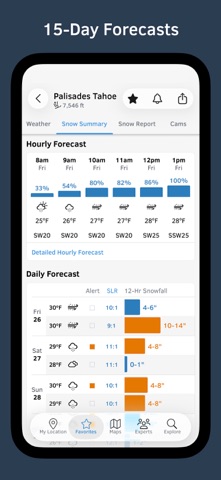
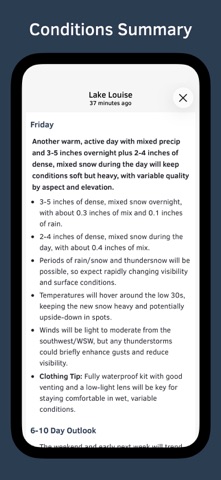
OpenSnow is your trusted source for the most accurate snow forecast, snow report, and ski conditions. "Weather forecasting for the mountains takes extra focus, analysis, and precision, which is exactly what OpenSnow provides. The app is incredible, even for super weather nerds like myself." – Cody Townsend, Pro Skier.
OpenSnow is a weather app by Cloudnine Weather, Inc. for iPhone. It needs iOS 26.0 or later.
Price and purchases
OpenSnow is free to download from the App Store.
Price from the App Store, checked 12 Nov 2026. Prices and purchases change; check the App Store before you buy.
Facts
- Price
- Free
- Requires
- IOS 26.0 or later
- Version
- 8.4.0
- Last updated
- 28 Oct 2026
- Size
- 132 MB
- Age rating
- 4+
- First released
- 18 Dec 2013
- App Store category
- Weather
- Also listed in
- Travel
- Rating count
- 9,082 ratings on the App Store
From the App Store listing, checked .
What's new in version 8.4.0
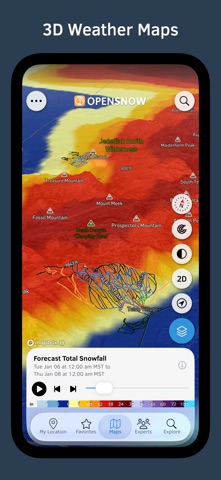
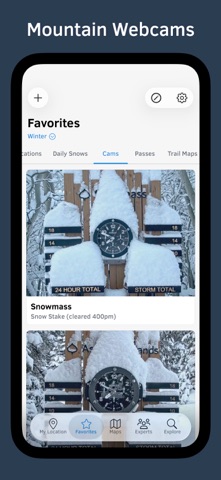
Thanks for using OpenSnow! This update includes: Favorite Map Overlays Quickly add any map overlay to a list of favorites. With 41 map overlays now available in OpenSnow, this provides quick and convenient access to the overlays you use most. Go to the Maps tab, tap the blue overlay button, and tap the star icon next to any overlay to get started. Webcam Map + Live Streaming View static and live streaming YouTube webcams on an interactive map. Static and live YouTube streaming webcams are labeled with highlighted icons. Black is static. Red is live. After zooming in on any webcam, tap the red webcam icon to pull up the live streaming view where you can go full screen, view the timelapse, or see nearby cams. If available, the direction in which the webcam is facing is also labeled in the upper right corner with an arrow. Go to the Maps tab and tap the webcam icon on the right side of the screen to get started. Share Custom Favorite Lists …
From the developer's App Store release notes.
Alternatives to OpenSnow
Other weather apps for iPhone, by App Store chart ranking.


Details
- Developer
- Cloudnine Weather, Inc. ↗
- Category
- Weather
- Website
- opensnow.com