

Productivity and work PDF app for Mac
PDF Squeezer 4
by Daniel Witt
- Price
- $19.99
- Platforms
- Mac
- Requires
- macOS 13.0+
- Updated
- 24 Sept 2026




Overview
From the developer's App Store description:
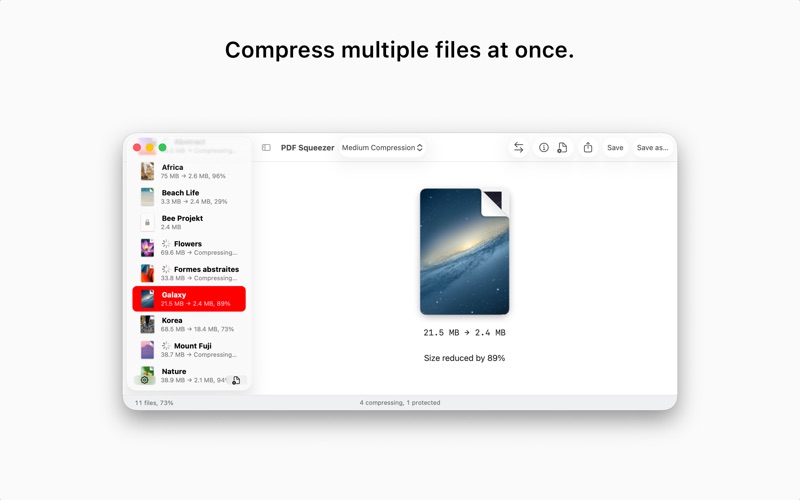
PDF Squeezer for macOS makes compressing PDFs easier than ever. Simply drag and drop your file into the app, and it quickly reduces the file size without compromising quality. At the same time, it optimizes the document’s structure by removing unnecessary elements, leaving only the essential content. It’s no surprise that PDF Squeezer has been the most popular PDF compression app for Mac for years!
PDF Squeezer 4 is a PDF app by Daniel Witt for Mac. It needs macOS 13.0 or later.
Price and purchases
PDF Squeezer 4 costs $19.99 on the App Store.
Price from the App Store, checked 12 Nov 2026. Prices and purchases change; check the App Store before you buy.
Facts
- Price
- $19.99
- Requires
- MacOS 13.0 or later
- Version
- 4.9
- Last updated
- 24 Sept 2026
- Size
- 28 MB
- Age rating
- 4+
- First released
- 4 Jun 2020
- App Store category
- Productivity
- Also listed in
- Utilities
From the App Store listing, checked .
What's new in version 4.9
NEW: Added a new profile setting that ensures PDF/A-4 support for long-term document archiving. Incompatible compression options are automatically turned off and disabled. NEW: Added an “Optimize images” option to compression profiles. Turn it off to leave images unchanged while optimizing other PDF content. NEW: Improved importing speed and responsiveness for folders containing thousands of PDFs. NEW: The status bar now appears automatically when more than 10 PDFs are loaded. NEW: Improved the reliability of compression statistics recorded by automation tools such as Automator. NEW: Renamed “Remove document structure tree” to “Remove document tags” and added a tooltip explaining how to preserve accessibility information, including image descriptions. NEW: Improved the reliability of comparison zoom controls when switching views. NEW: Added overall compression progress and an active file count to the status bar. NEW: Added progress rings for individual files in the sidebar when using the new compression engine. NEW: Added sidebar sorting by name, original size, compression ratio, date added, or status, with reversible order. …
From the developer's App Store release notes.
Alternatives to PDF Squeezer 4
Other PDF apps for Mac, by App Store chart ranking.
 PDFgearFree, same category, 101 MB larger
 PDF ReaderFree, same category, 5.2 MB smaller
 Designs for Cricut MakerFree, same category, 16 MB smaller
 Design Space & Font for CricutFree, same category, 11 MB smaller
 Templates for AllFree, same category, 26 MB smaller
 PDF Reader for Adobe PDFFree, same category, 27 MB smaller
Details
- Developer
- Daniel Witt ↗
- Category
- Website
- witt-software.com

