

Productivity and work Productivity app for Mac
ScratchPadIt
by SwiftVisions LLC
- Price
- Free
- Platforms
- Mac
- Requires
- macOS 26.0+
- Updated
- 2 Sept 2026


Overview
From the developer's App Store description:
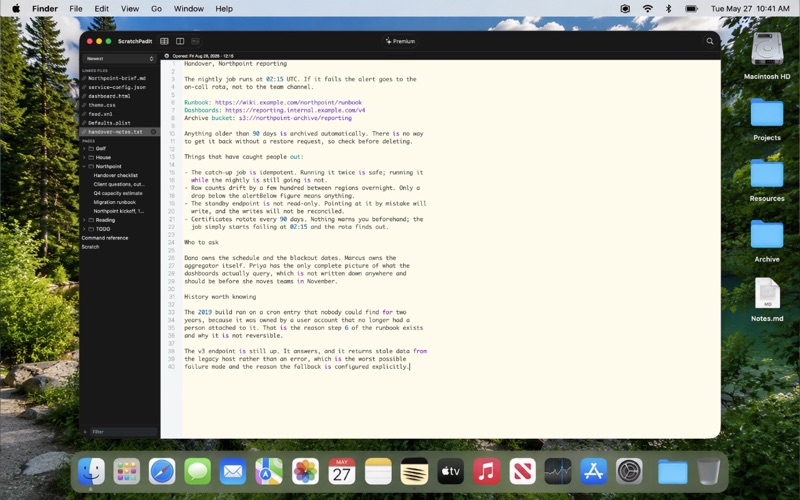
ScratchPadIt is a plain text note taking app for Mac built for speed and simplicity. A sidebar holds all your pages, so you can switch between notes instantly, add one in a click, and delete it when you are done. No inbox to manage, no tagging system, nothing to file before you can start writing. A page is named after its first line, so nothing asks you for a title first.
ScratchPadIt is a productivity app by SwiftVisions LLC for Mac. It needs macOS 26.0 or later.
Price and purchases
ScratchPadIt is free to download from the App Store.
Price from the App Store, checked 12 Nov 2026. Prices and purchases change; check the App Store before you buy.
Facts
- Price
- Free
- Requires
- MacOS 26.0 or later
- Version
- 2.0.0
- Last updated
- 2 Sept 2026
- Size
- 5 MB
- Age rating
- 4+
- First released
- 9 Oct 2020
- App Store category
- Productivity
- Also listed in
- Developer Tools
From the App Store listing, checked .
What's new in version 2.0.0
- Open any text file on your Mac and edit it in place, where it lives - Code, CSS, JSON, XML, HTML and property lists are coloured as you read them - Ten syntax colours you can change in Preferences - Long files fold, and stay folded when you switch away and back - Markdown rendered beside the text as you write it (Premium) - Tables inside a page, with merged cells and per cell alignment (Premium) - Up to three documents side by side (Premium) - Groups for collecting pages in the sidebar (Premium) - Find and replace with regular expressions across every page (Premium) - Text Tools: format and minify JSON, Base64 and URL encoding, trim and dedupe lines (Premium) - Save your edits straight back to files on disk (Premium) - Name any page by hand, or clear the name to use its first line again - Filter finds pages and open files together - Copy a whole line by clicking its line number (Premium) - Export a page to a text file (Premium) - Many bug and UI fixes.
From the developer's App Store release notes.
Alternatives to ScratchPadIt
Other productivity apps for Mac, by App Store chart ranking.




Details
- Developer
- SwiftVisions LLC ↗
- Category
- Productivity
- Website
- scratchpadit.com