

Creative Photo editing app for Mac
SnapPresenter
by Christopher Williams
- Price
- Free to download, subscription required
- Platforms
- Mac
- Requires
- macOS 14.0+
- Updated
- 7 Nov 2026



Overview
From the developer's App Store description:
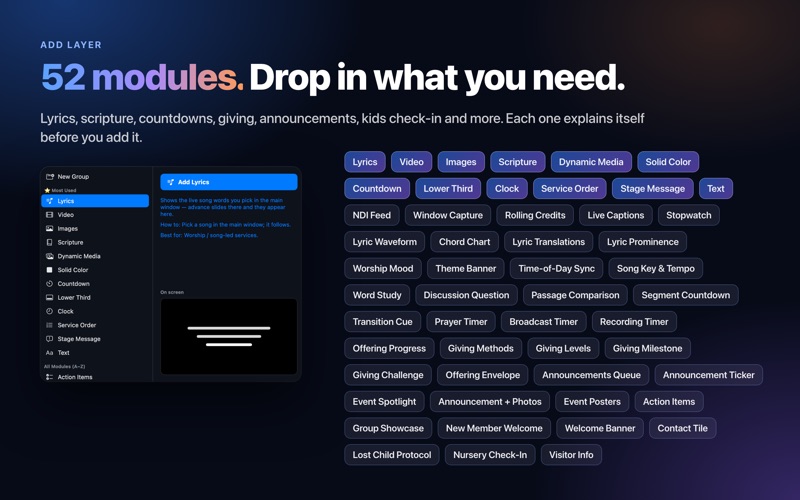
SnapPresenter — Professional Worship Presentation for Mac. Snap Presenter requires an auto-renewable subscription (monthly or annual). Every feature is free to try for 30 days — after the trial, an active subscription is required to continue using the app. All features described below and shown in the screenshots are included with the subscription.
SnapPresenter is a photo editing app by Christopher Williams for Mac. It needs macOS 14.0 or later.
Price and purchases
SnapPresenter is free to download, but the developer says it needs a subscription.
Price from the App Store, checked 12 Nov 2026. Prices and purchases change; check the App Store before you buy.
Facts
- Price
- Free to download, subscription required
- Requires
- MacOS 14.0 or later
- Version
- 2.56
- Last updated
- 7 Nov 2026
- Size
- 63 MB
- Age rating
- 4+
- First released
- 20 Mar 2026
- App Store category
- Photo & Video
- Also listed in
- Productivity
From the App Store listing, checked .
What's new in version 2.56
Christmas gift: new downloads through December 31, 2026 get 3 months free. Import Document as Slides (File menu) turns a Word, Pages, ODT, RTF or plain-text sermon outline into a Flow of slides: topics become title slides, subtopics become heading slides, and Scripture lines become Scripture slides. Open Keynote, PowerPoint and PDF decks straight from Finder with Open With, by dropping them on the app icon, or with the Finder service. New optional tips during your free trial, with an on/off switch in Settings.
From the developer's App Store release notes.
Alternatives to SnapPresenter
Other photo editing apps for Mac, by App Store chart ranking.


Details
- Developer
- Christopher Williams ↗
- Category
- Photo editing
- Website
- lumenaproductions.com

