

Developer Coding and developer app for Mac
Stampdrill
by Siamand Maroufi
- Price
- $19.99
- Platforms
- Mac
- Requires
- macOS 14.0+
- Updated
- 8 Oct 2026





Overview
From the developer's App Store description:
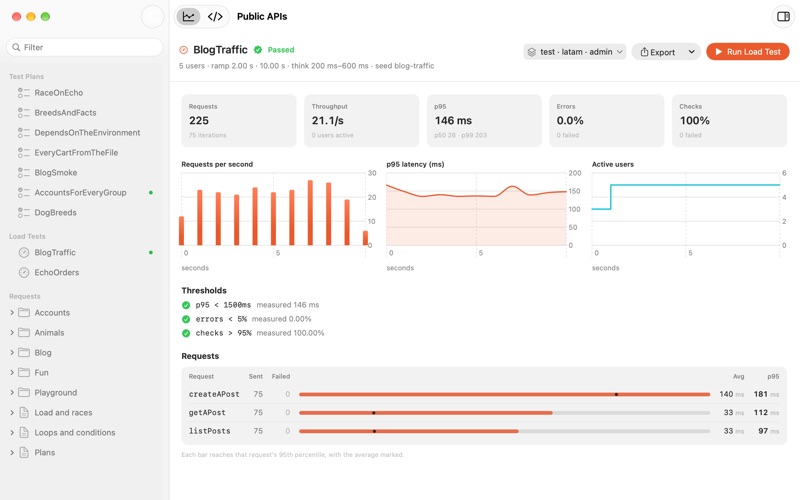
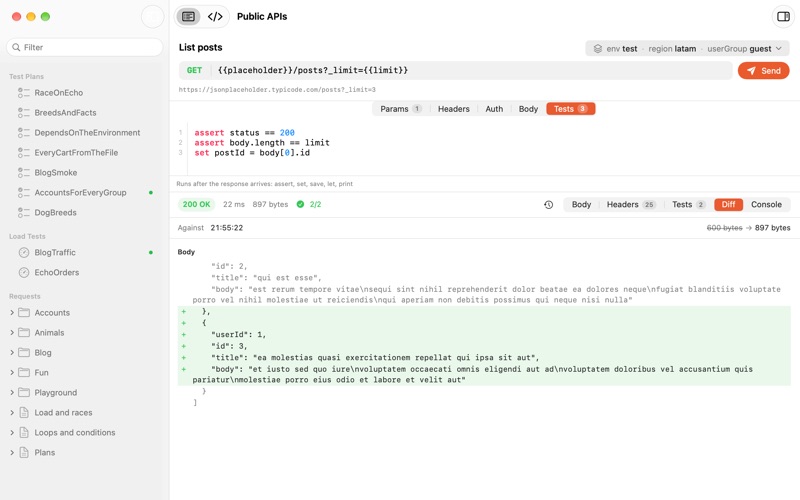
Stampdrill is an HTTP client for people who would rather read a request than click through one. Requests live in plain .stamp text files. Open a folder of them and Stampdrill gives you a native Mac workspace to edit, send and check them, while the files stay readable in any text editor and reviewable in a pull request. VARIABLES WITH MORE THAN ONE DIMENSION Instead of a flat list of environments, describe the axes your API varies along, such as environment, region or tenant.
Stampdrill is a coding and developer app by Siamand Maroufi for Mac. It needs macOS 14.0 or later.
Price and purchases
Stampdrill costs $19.99 on the App Store.
Price from the App Store, checked 12 Nov 2026. Prices and purchases change; check the App Store before you buy.
Facts
- Price
- $19.99
- Requires
- MacOS 14.0 or later
- Version
- 1.1
- Last updated
- 8 Oct 2026
- Size
- 4 MB
- Age rating
- 4+
- First released
- 7 Oct 2026
- App Store category
- Developer Tools
- Also listed in
- Utilities
From the App Store listing, checked .
What's new in version 1.1
A run now writes one HTML report that a browser draws and a build server parses. Every measurement is in the markup, so the file a pipeline reads is the file a person opens: plans with every step and check, a race with its actors on one clock, and a load test with throughput, latency and active users charted. Export writes it from a finished test plan or load test, and the command line writes it with --html. The variables panel is the full height of the window and slides in and out, with the line between it and the request to drag. One control in the header says which combination of dimensions the requests run against, and opens a list to change any of them. Response times read as measurements rather than as columns of digits. A plan and a load test both show one row per request, slowest first, each on a bar scaled to the slowest, so the one worth looking at is the one your eye lands on. A plan that ran once shows one time instead of repeating it three times. Export is a control beside the run button in both. …
From the developer's App Store release notes.
Alternatives to Stampdrill
Other coding and developer apps for Mac, by App Store chart ranking.


Details
- Developer
- Siamand Maroufi ↗
- Category
- Coding and developer
- Website
- stampdrill.com