

Mac utilities and customization Utility app for Mac
Stecker
by Luis Riegger
- Price
- Free
- Platforms
- Mac
- Requires
- macOS 14.6+
- Updated
- 20 Oct 2025

Overview
From the developer's App Store description:
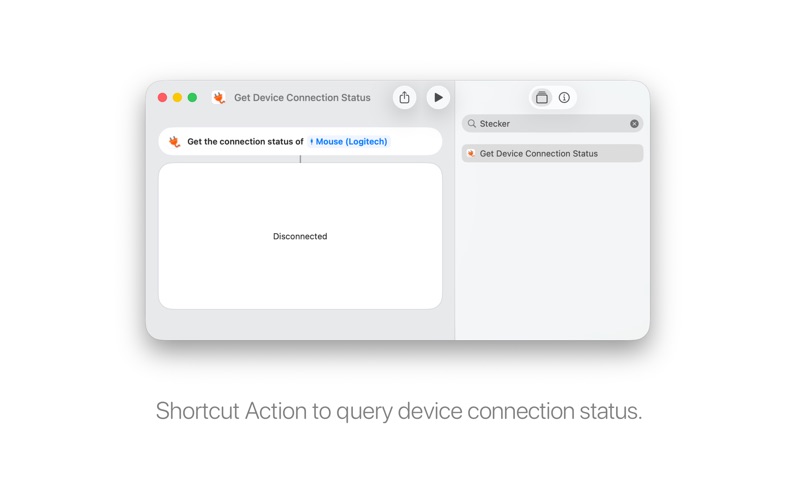
Trigger macOS Shortcuts by physical device attachment or detachment. Stecker detects USB peripherals, including keyboards, mice, hubs, drives, cameras, and microphones. Stecker is very lightweight in memory and energy usage: It only acts on filtered system notifications - no repeated pulling of device status.
Stecker is a utility app by Luis Riegger for Mac. It needs macOS 14.6 or later.
Price and purchases
Stecker is free to download from the App Store.
Price from the App Store, checked 12 Nov 2026. Prices and purchases change; check the App Store before you buy.
Facts
- Price
- Free
- Requires
- MacOS 14.6 or later
- Version
- 2.0
- Last updated
- 20 Oct 2025
- Size
- 5 MB
- Age rating
- 4+
- First released
- 7 May 2023
- App Store category
- Utilities
From the App Store listing, checked .
What's new in version 2.0
The codebase was modernized, adopting Swift 6 Strict Concurrency Mode. The minimum macOS requirement was bumped to macOS 14 Sonoma. Resolved issues with long-running Shortcuts: - The “Try” Button in the UI triggers the Shortcut in a new background process which does not block the UI. This was an issue for long-running Shortcuts. - Long-running shortcuts do not block the Stecker background process any more. - If an automation is enabled and triggered, and its Shortcut is still running: then, another trigger (of the same automation) will cancel the existing Shortcut and launch it again. This is to avoid creating parallel “zombie” processes for long-running Shortcuts.
From the developer's App Store release notes.
Alternatives to Stecker
Other utility apps for Mac, by App Store chart ranking.




Details
- Developer
- Luis Riegger ↗
- Category
- Utility
- Website
- stecker.himbeles.de