

Productivity and work Productivity app for Mac
Typing Speed & WPM
by Jose Antonio Neto Suarez
- Price
- Free
- Platforms
- Mac
- Requires
- macOS 14.0+
- Updated
- 22 Oct 2026


Overview
From the developer's App Store description:
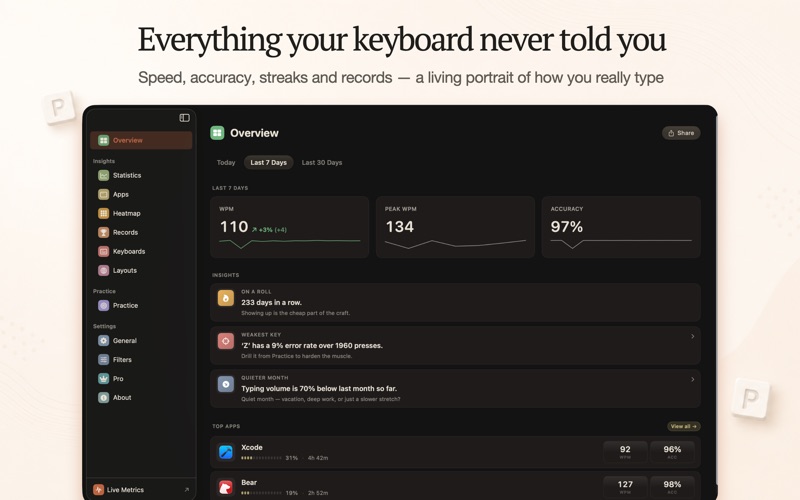
Track your real typing speed across every Mac app. Pulse measures WPM, CPM, and accuracy live from every key you press — no tests, no setup.
Typing Speed & WPM is a productivity app by Jose Antonio Neto Suarez for Mac. It needs macOS 14.0 or later.
Price and purchases
Typing Speed & WPM is free to download from the App Store.
Price from the App Store, checked 12 Nov 2026. Prices and purchases change; check the App Store before you buy.
Facts
- Price
- Free
- Requires
- MacOS 14.0 or later
- Version
- 2.0.4
- Last updated
- 22 Oct 2026
- Size
- 12 MB
- Age rating
- 4+
- First released
- 4 Aug 2024
- App Store category
- Productivity
- Also listed in
- Utilities
From the App Store listing, checked .
What's new in version 2.0.4
- Live Metrics from any app: press ⌥⇧P to open or close it. The shortcut now appears in the menu bar, the sidebar and Settings. - Clearer privacy: the leaderboard's data contract now explains how names are moderated and how to reach us.
From the developer's App Store release notes.
Alternatives to Typing Speed & WPM
Other productivity apps for Mac, by App Store chart ranking.




Details
- Developer
- Jose Antonio Neto Suarez ↗
- Category
- Productivity
- Website
- pulsetyping.com