

Mac utilities and customization Utility app for Mac
Zero Loss Compress
by EditingTools.io
- Price
- Free
- Platforms
- Mac
- Requires
- macOS 12.0+
- Updated
- 20 Aug 2026



Overview
From the developer's App Store description:
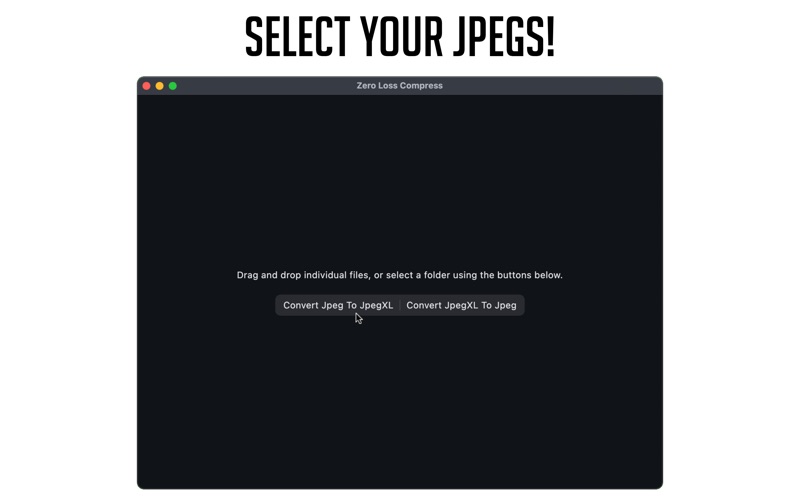
Zero Loss Compress: Save Disk Space Without Losing Your Original Files. Storing large image libraries can be challenging, especially if you want to keep access to your original files without sacrificing quality for storage. Zero Loss Compress provides a practical solution by utilizing JPEG XL, a modern image format designed for efficiency and flexibility. How Does It Work?
Zero Loss Compress is a utility app by EditingTools.io for Mac. It needs macOS 12.0 or later.
Price and purchases
Zero Loss Compress is free to download from the App Store.
Price from the App Store, checked 12 Nov 2026. Prices and purchases change; check the App Store before you buy.
Facts
- Price
- Free
- Requires
- MacOS 12.0 or later
- Version
- 1.6.4
- Last updated
- 20 Aug 2026
- Size
- 17 MB
- Age rating
- 4+
- First released
- 20 Nov 2024
- App Store category
- Utilities
- Also listed in
- Photo & Video
From the App Store listing, checked .
What's new in version 1.6.4
- Improved conversion reliability on macOS filesystems that do not support atomic file publishing. The app now uses safe fallbacks that prevent collisions, preserve file metadata, and verify copied files. - Improved favorite folders by automatically removing invalid saved entries while keeping accessible folders available and temporarily unavailable ones ready to retry later. - Added support for converting dropped folders and a dedicated drop zone for adding folders to Favorites, with clearer drag-and-drop feedback. - Improved end-of-batch error reporting, making it clearer when one or more conversions fail.
From the developer's App Store release notes.
Alternatives to Zero Loss Compress
Other utility apps for Mac, by App Store chart ranking.




Details
- Developer
- EditingTools.io ↗
- Category
- Utility
